
A quick guide for how to compile the Unreal Engine 4 source code on Windows so you can run it portably without installing Epic Games Launcher.
Requirements
- You need to have access to the EpicGames/UnrealEngine repository on Github, don't have access? Follow this procedure: https://www.unrealengine.com/en-US/ue4-on-github
- A version of Visual Studio (2015 and newer should work, however some of the newer releases might need 2017 or 2019)
- A git client (unless you prefer the terminal)
Step by step
- Clone the repository and choose the version you want to run by selecting the appropriate branch
- Open your favorite terminal and navigate to the folder you cloned it to
- Type in
setupand wait for it to finish - Type in
GenerateProjectFilesand wait for it to finish, when done you can close down the terminal - Navigate to
PathToUnrealEngineRepository\Engine\Extras\UnrealVSand install the UnrealVS extension appropriate for your installation of Visual Studio. - Once installed you can go back to the root of the repository and open up the project in Visual Studio with the
UE4.slnsolution file - Right click in the empty UI area next to the Start compile button and click
UnrealVSin the dropdown.
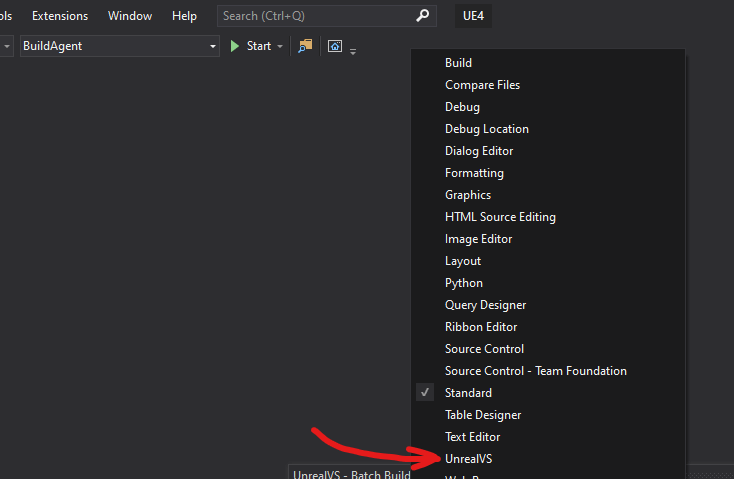
- Click the cogwheel that's to the right of the newly added UnrealVS toolbar
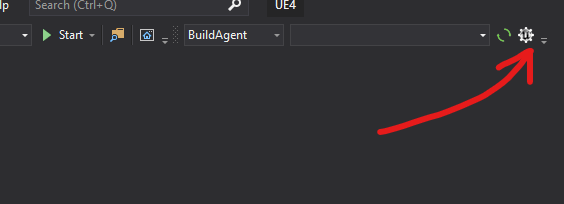
- A new window opens with various views with all the projects, configurations and platform targets. Inside the Projects view go ahead and select
UE4,ShaderCompileWorkerandUnrealBuildToolby control-clicking them so you individually select those. Then selectDevelopment Editorin the Config view and lastly select Win64 as the platform.
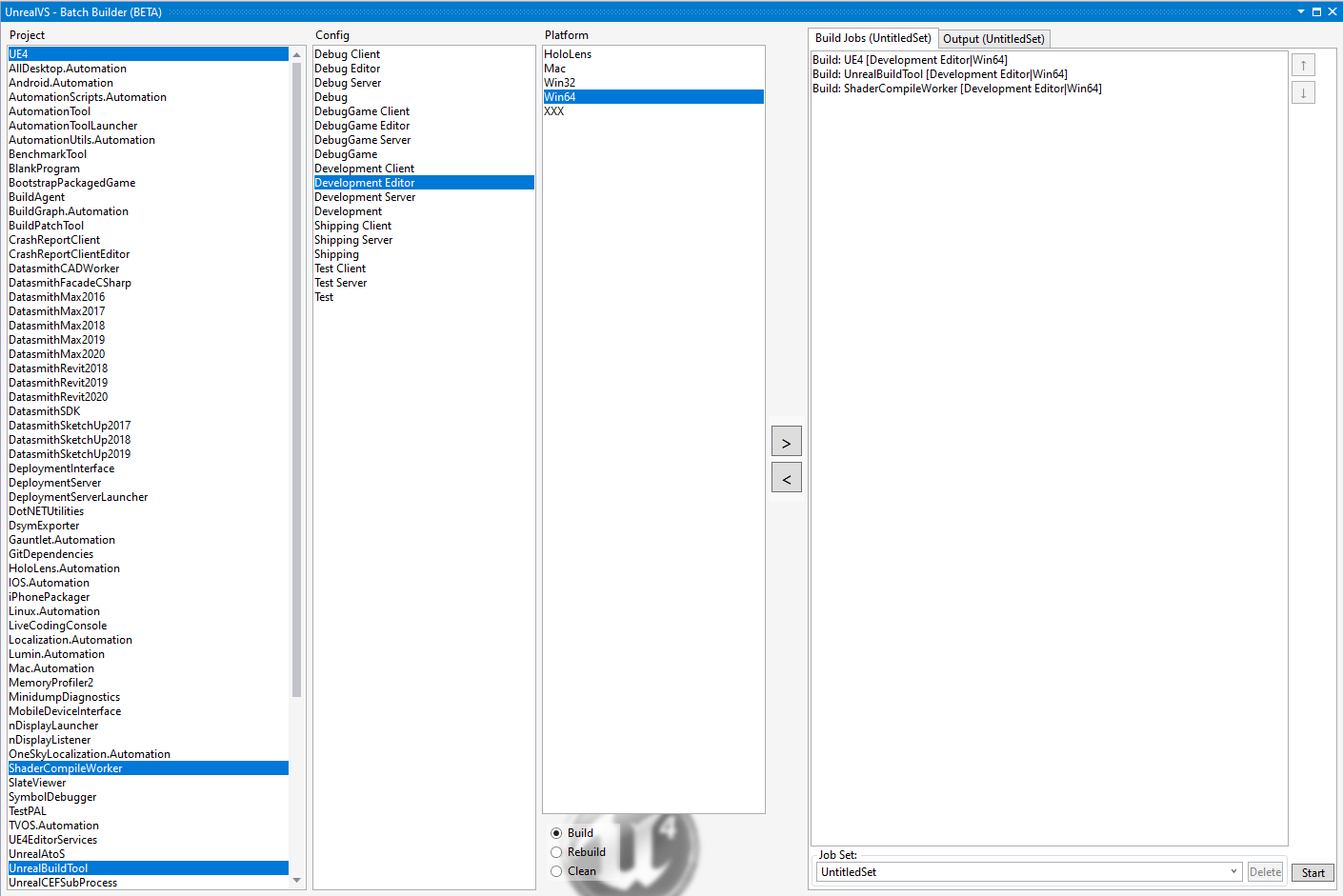
- Grab a beverage while it builds, it's gonna take a while...
- Once it's done you can get to the Development Editor by launching UE4.exe found inside the folder
PathToUnrealEngineRepository\Binaries\Win64
Now you can enjoy developing with Unreal Engine straight from the source code, which in my case became useful as I sometimes use my work laptop for this and don't want to install anything on there that isn't work-related. So now I can relax on the couch and tinker with my projects in UE4 that's running from my external drive on the laptop 😄
If you wanna dig in more you can check out the documentation here: https://docs.unrealengine.com/en-US/Programming/Development/CompilingProjects/index.html